


LOGITECH Group

Logitech Group
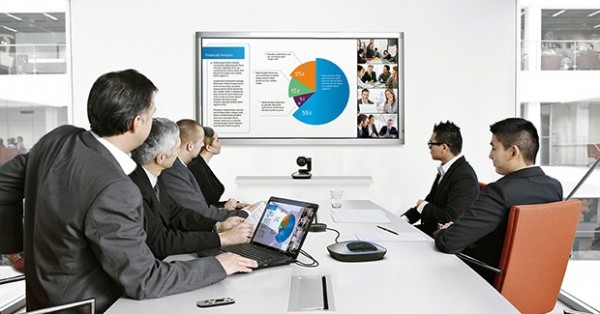
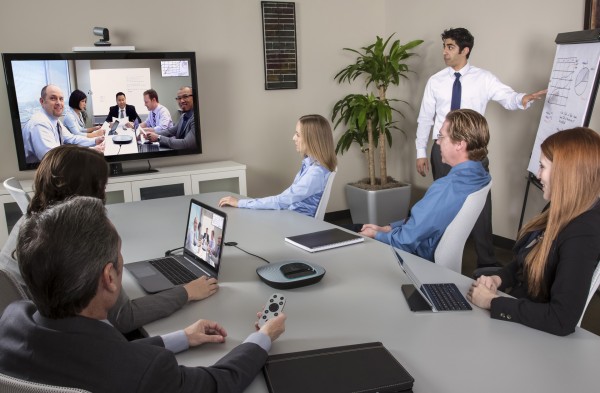
EXPERIENCE THE PRODUCTIVITY AND POWER OF VIDEO-ENABLED FACE-TO-FACE COLLABORATION IN ANY CONFERENCE ROOM

See and Be Seen
Razor-sharp ZEISS® glass lens with autofocus, 1080p HD resolution, and 10x lossless zoom lets you see and interact with everyone at the table, or zero in on close-ups.

Hear and Be Heard
Omni-directional full duplex mics enable conferees to clearly converse from a 20-foot diameter around the base without mic pods, making it seem like conversations are happening in the same room.
See and Interact with Everyone at the Table
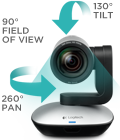
Bring meetings into focus with GROUP’s premium lens, 10x lossless zoom, and HD 1080p/30 performance. Perfectly frame presenters and whiteboards with pan/tilt control, and zoom in for detail and clarity. GROUP’s 90° field-of-view provides ideal coverage for medium and large conference rooms, with motorized pan and tilt for wall-to-wall, floor-to-ceiling coverage.
USB Plug-and-Play Connectivity
Easily connect to a PC, Mac or thin client with no additional software required.
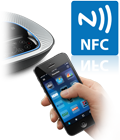 Near Field Communication (NFC) Pairing
Touch an NFC-enabled mobile device over the base console to instantly pair and enjoy professional speakerphone audio quality.

Bluetooth® Wireless Connectivity
Use the convenience of this wireless technology to quickly and easily create a connection between any Bluetooth® device and the ConferenceCam speakerphone.

H.264 with SVC and UVC 1.5 Technology
Frees up laptop bandwidth by putting video processing within the camera, resulting in a smoother video stream in applications like Microsoft® Lync™ 2013.

Broad Application Compatibility
Optimized for Microsoft® Lync™, Cisco® compatible1 (with Jabber® and WebEx®), Skype™ certified and integrated with Vidyo® – ensures an integrated experience with most all business-grade UC platforms.

Control Meetings with Base Console or Dockable Remote
Easily operate camera pan/tilt/zoom, volume up/down, answer/hang-up2 mute and other functions during call.

Conversations Sound Natural and Life-Like
Acoustic echo cancelation and noise-cancelling make it seem like conversations are happening in the same room.
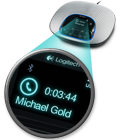
LCD displays Caller ID3 and other info
View call-related info (Caller ID, call duration, etc.) and speakerphone/camera function indicators (volume control, etc.) on LCD display screen.
How to use Logitech Group
 Related Document(s)
Summary
Reviewer
Logitech lover
Review Date
Reviewed Item
กล้อง Logitech Group
Author Rating





